






Siri AI is a major upgrade and a big highlight of iOS 27, macOS Golden Gate, watchOS 27, and the rest of Apple’s software updates.
Siri AI is in beta and reaches the public this fall.
What is Siri AI?
Siri AI is Apple’s next-generation personal assistant powered by Apple Intelligence. It can reach into your personal data in apps like Mail, Messages, and Photos. Apple says Siri has understanding and reasoning that wasn’t available before, and four main improvements underpin the change in how it works.
Those different functions work together, and the result is an assistant that does far more than the old one. You can hold a full back-and-forth conversation with Siri, and a single request can carry several tasks.

Personal Context Understanding
Apple overhauled its search index, and Siri has access to emails, text messages, files, photos, notes, and more. Access is only part of it. Siri can find content from across your apps, and it understands that content too.
Ask it to surface photos, pull information out of an email or a text, or track down a file, and the Apple Intelligence semantic index does the work behind the scenes.
Requests along these lines work:
- What was that movie my brother told me to watch last week?
- Can you get me the directions to that place I was supposed to meet Eric tomorrow?
- What video games did John recommend to me last year?
- Find images with pancakes from 2024
- What was the name of that restaurant I ate at in February?
- What’s the confirmation number for my upcoming flight?
- What do I need to do tomorrow?
- Show me my photos from the music festival last weekend
- What’s the door code Sarah texted me?
- Find the lease my landlord emailed me last month
- Who did I have lunch with two Tuesdays ago?
Broad World Knowledge
Apple can search the web for up-to-date information and answer questions about anything, much like other chatbots. Siri also analyzes documents and pulls in web context for a question, comes up with recipes, handles party prep, helps with homework, gives gardening tips, works through DIY projects, and much more.
Questions it can field:
- When is the Suki Waterhouse show in SF?
- How can I get tickets?
- I’m planning a birthday party, can you find me some good cake recipes?
- What’s the difference between pine warblers and goldfinches?
- What’s the Hurricanes score?
- What are the hours for the closest Ace Hardware?
- What’s a good substitute for buttermilk?
- What’s a 15% tip on $84?
- Help me plan a 5-day trip to Lisbon
Onscreen Awareness
Siri knows what’s on your screen and can answer questions about it. Siri can tell what you’re looking at, and it reads text and analyzes images. If a photo has something recognizable in it, Siri can tell you where the shot was taken, and you can ask about whatever app you happen to be in without spelling out the specifics.
What that looks like in use:
- Where was this photo taken?
- Summarize this
- Can you give me directions here?
- What are the best native plant options for a shady spot near my house?
- Does this document look correct?
- What is this?
- Translate this menu
- Explain what this chart is showing
App Actions
App Actions let Siri use tools inside apps to complete a request. Siri can operate some apps on your behalf, both Apple’s own apps and third-party apps that have implemented App Actions support.
Examples:
- Write a quick response to this email
- Send all the photos from today to Eric
- Add a 3pm Tuesday meeting with the neighbor to my calendar
- Add these photos to the cat album
- Get me directions to the post office, but add a stop at the coffee shop first
- Move my 2pm meeting to Thursday
Siri Interface
On the iPhone, a new Search and Ask Siri interface replaces the former Spotlight search option, and it’s available from the Dynamic Island. A swipe down from the middle of the iPhone’s display brings up Search or Ask, where you can type or speak a question or request to Siri.
An animation plays while Siri thinks. The Siri bubble then expands into a short response, and swiping down on that response opens a text bar for a clarification or another question. A " " button adds images or documents to the conversation.
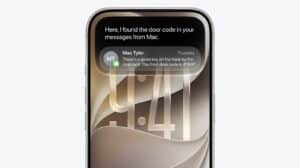
Some responses arrive as rich information cards pulled from apps. Ask about the weather and you get the current weather forecast. Ask about upcoming calendar events and they show up in the Calendar app format.
The side button also summons Siri, as do the "Siri" and "Hey Siri" wake phrases.
Systemwide Context
Siri works in any app. Select text or images, then ask Siri about the selection. Long press an image in Safari to select it, and then ask Siri whatever you want to know about it.
Siri App
A dedicated Siri app handles conversations. You can start a new one there or go back to something you asked earlier.
The interface is card-style, and it shows details from your most recent conversations across all of your devices, with a search button for finding conversations and a pin option for conversations you revisit often.

Write with Siri
In iOS 27, a systemwide Write with Siri feature works anywhere you type. Siri drafts documents from scratch, and in Mail and Messages it can use the same writing style that you normally use.
Feedback is part of it too. Select your text, ask Siri how it sounds, and it tells you. As you type in apps, automatic proofreading catches misspellings and grammar, and Siri edits on request once you describe the change you want, such as a more professional tone.
Requests you can make:
- Make this email sound more formal
- Turn these bullet points into a paragraph
- Shorten this to three sentences
- Draft a thank you note for a gift
- Rewrite this to be friendlier
- What do you think of this presentation?
- How can I improve this email?
Apple Foundation Models
The Apple Foundation models behind Siri and the other Apple Intelligence features in iOS 27 came out of Apple’s collaboration with Google. Apple used the technologies behind the Gemini AI models to develop the next generation of Apple Foundation models.

Those models sit inside iOS. A system orchestrator coordinates them and can call on the Spotlight index and the app toolbox. The Spotlight index surfaces data from any app that integrates with it, including Mail, Calendar, and Messages, while the app toolbox identifies which app tools might be useful to answer a request.
Siri Voice and Dictation
Apple has a more powerful on-device model for the iPhone 17 Pro and iPhone Air, and it makes the Siri voice customizable. Apple says its on-device model can understand and generate speech, plus understand text and images. Expressivity and pace are what you tweak.
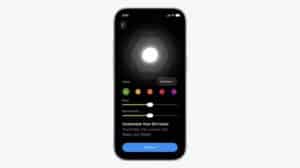
The on-device model also improves accuracy for system-wide dictation. Dictation captures more of what you say and makes fewer mistakes with spelling, punctuation, and capitalization, all of it down to better natural language understanding.
Data Privacy
Apple’s Siri features run on-device and on cloud servers using Private Cloud Compute. Apple and third parties cannot access the data.
Private Cloud Compute servers have historically all been Apple servers in Apple data centers, and Apple is expanding Private Cloud Compute to run Apple Intelligence workloads on Google Cloud using NVIDIA hardware.
Siri Across Your Devices
Siri AI is available in iOS 27, iPadOS 27, macOS Golden Gate, visionOS 27, and watchOS 27, so you can start a Siri request on one device and pick it up again on another.
Siri conversations sync across devices, and the Siri app is available on most of Apple’s software platforms. CarPlay and AirPods get the Siri AI features too.
Supported Devices
Siri AI requires a device that supports Apple Intelligence. Here is the full hardware list.
iPhone
- iPhone 17 Pro and Pro Max
- iPhone Air
- iPhone 17
- iPhone 17e
- iPhone 16 Pro and Pro Max
- iPhone 16 and 16 Plus
- iPhone 16e
- iPhone 15 Pro and Pro Max
iPad
- iPad Pro (M1 chip and later)
- iPad Air (M1 chip and later)
- iPad mini (A17 Pro)
Mac
- All models with Apple silicon (M1 chip and later, and A18 Pro chip)
Apple Watch (when paired with AI-supported iPhone)
- Apple Watch Series 9 and later
- Apple Watch Ultra 2 and later
- Apple Watch SE 3
Apple Vision Pro
- All models
All of the products above will support Siri AI when it launches. Certain aspects of the Siri experience will be even better on select hardware. Fully customizing the pace and expressivity of Siri AI’s voice, for example, is only available on select hardware:
iPhone 17 Pro, iPhone 17 Pro Max, iPhone Air, iPad models with M4 and later and at least 12GB of unified memory, Mac models with M3 and later and at least 12GB of unified memory, and Apple Vision Pro (M5)
Apple’s most powerful on-device AI model is restricted to a similar list of newer products.
Siri AI will not be available in the European Union at launch on iPhone or iPad, though it will be available on the Mac, and it will not be available in China.
Languages
Siri AI works in English (Australia, Canada, Ireland, India, New Zealand, South Africa, UK, U.S.), and support will expand to more languages in the future.