







Dave Johnson
As NerdsModo’s editor of how to content, I have to cover a wide variety of topics related to Apple products and also make our stories accessible to everyday users. Considering my history as a technical writer, copywriter, and all-around freelancer covering baseball, comics, and more at various outlets, I am used to making myself into an expert.
My job as how-to guru means I use just about every Apple product and service, so I can figure out how everything works. I work from a MacBook Air running macOS Tahoe, but also have a very large iMac and Apple silicon MacBook Pro. I also have an iPhone 16 Pro for personal use and use a iPhone 17 Pro Max for additional testing. For iPadOS coverage, an iPad Pro with M2 works like a charm, though it’s already becoming a little long in the tooth.
My desktop situation includes a dual display setup with an Apple Studio Display. I also use a Magic Trackpad, Magic Mouse and a Magic Keyboard with Touch ID and Numeric Keypad (my favorite Apple keyboard; I love it but my wife hates it!). I’m a recent convert from wired headphones; I have AirPods Pro 3 for personal use and have taken to the AirPods Max 2 for work.
Whenever I have a second to myself, I’m probably gaming on my Nintendo Switch, Steam Deck, or Xbox Series S. I also still have a bunch of classic consoles lying around as well.
Areas of Expertise
iPhone Vibrating Randomly? Here’s Why & How To Fix It
Restarting your iPhone and changing your haptics settings can help stop the random vibrations.
How to Join the Siri AI Waitlist on Your iPhone
After updating to iOS 27, open the Settings app, go to the new Siri section,…
Why the iPhone 17 Doesn’t Get Every Siri AI Feature
Siri AI features are missing on the iPhone 17. Here’s why.
How to use the new Siri AI app in iOS 27 
iOS 27 includes a new Siri AI app. Here is how to use it.
All the Ways to Activate Siri AI on iPhone in iOS 27
Here are all the ways you can activate Siri AI on your iPhone in iOS…

How to Turn On Siri AI on Your iPad
Turning on the new Siri AI in iOS 27 is actually pretty simple. You just…
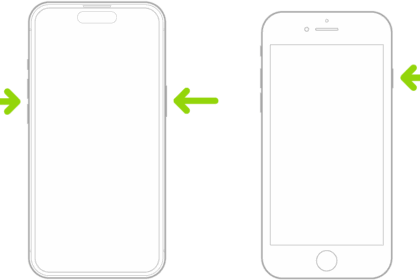
How to Activate Siri AI With the Side Button on iPhone
Here's how to activate Siri AI on an iPhone using the Side button in iOS…
What’s New in iOS 26.6
iOS 26.6 brings security updates, fixes for CarPlay, wallpaper dimming and the respring bug, plus…
Call failed on iPhone? Here’s the fix
If you’re trying unsuccessfully to place a call, here are the most common ways to…
Apple CarPlay not working on iPhone? Here’s the fix
Whether you can't connect your iPhone to car with CarPlay, your CarPlay apps aren't opening,…