







Dave Johnson
As NerdsModo’s editor of how to content, I have to cover a wide variety of topics related to Apple products and also make our stories accessible to everyday users. Considering my history as a technical writer, copywriter, and all-around freelancer covering baseball, comics, and more at various outlets, I am used to making myself into an expert.
My job as how-to guru means I use just about every Apple product and service, so I can figure out how everything works. I work from a MacBook Air running macOS Tahoe, but also have a very large iMac and Apple silicon MacBook Pro. I also have an iPhone 16 Pro for personal use and use a iPhone 17 Pro Max for additional testing. For iPadOS coverage, an iPad Pro with M2 works like a charm, though it’s already becoming a little long in the tooth.
My desktop situation includes a dual display setup with an Apple Studio Display. I also use a Magic Trackpad, Magic Mouse and a Magic Keyboard with Touch ID and Numeric Keypad (my favorite Apple keyboard; I love it but my wife hates it!). I’m a recent convert from wired headphones; I have AirPods Pro 3 for personal use and have taken to the AirPods Max 2 for work.
Whenever I have a second to myself, I’m probably gaming on my Nintendo Switch, Steam Deck, or Xbox Series S. I also still have a bunch of classic consoles lying around as well.
Areas of Expertise
Which Mac Sharing Services Are Safe to Turn On
VNC passwords are notoriously easy to crack, and the option is on by default.
Where to Find Your FileVault Recovery Key
Apple used to show the key once and never again, until Tahoe changed that.
How Siri AI Processing Works, On Your Device and in the Cloud
Apple’s own cloud runs on Apple silicon; the Google Cloud nodes run Intel and Nvidia.
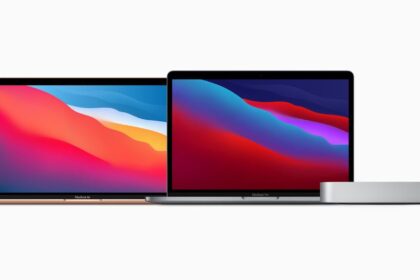
The Complete Guide to macOS 27 Golden Gate
A Mac on Big Sur can skip straight to macOS 27 without the versions between.
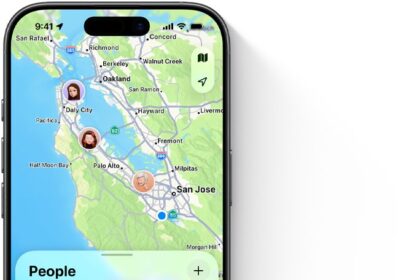
How Activation Lock Protects a Lost or Stolen Device
An erased iPhone with Activation Lock on can still be tracked in Find My.
How to Make a Bootable macOS Installer
The installer deletes itself from Applications once the upgrade finishes.
How to See Which Login Items and Extensions Load on a Mac
Automatic login unlocks your keychain the moment the Mac powers on.
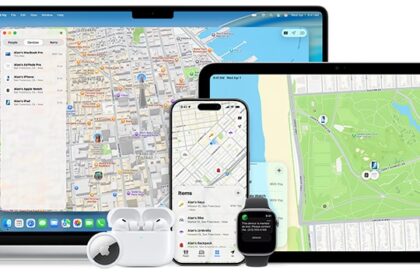
How Find My Works: Devices, People and Items
Apple picks one device to stand in for you, and you can change which.
Photos in iOS 27: Keywords, Shared Albums and More
Shared Albums can finally carry full-resolution photos, once you upgrade them.
The Siri AI Privacy Limits Apple Doesn’t Advertise
Turning Siri off is the only lever, and it disables every Siri-related Apple Intelligence feature.