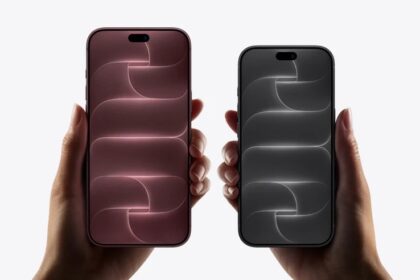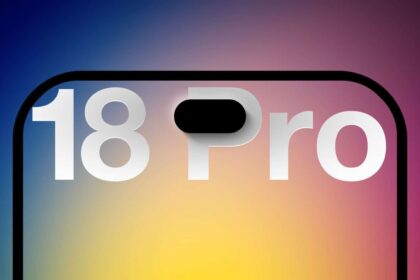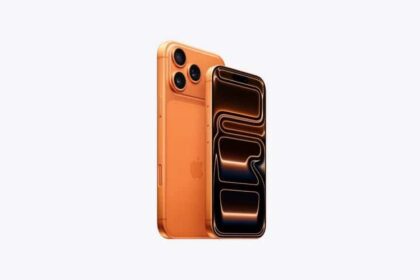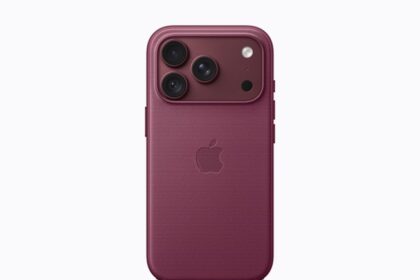





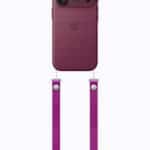

It’s almost time. Apple is holding its next event, which the company is calling “Surprise and shine,” later today. Historically, Apple has used its September event to announce new hardware, particularly the newest models of iPhones. The company is expected to announce new iPhone 18 Pro models and a new foldable “iPhone Duo” alongside new Apple Watch models, and potentially AirPods 5 and other products during the event, dubbed “Sunshine and Shine.” We expect to hear from Apple’s incoming CEO, John Ternus, for the first time in his role after he took up the mantle on Sept. 1.
Here’s how you can watch Apple’s event today wherever you are in the world.
There are multiple ways to watch the September 9 event, with details listed below. We’ve also included a useful guide on when the event will take place in your particular time zone.
Apple Events Website
With the Apple Events website, you can watch the event live on a Mac, iPhone, iPad, PC, or any other device with a web browser. The Apple Events website works in Safari, Chrome, Firefox, and other main browsers.
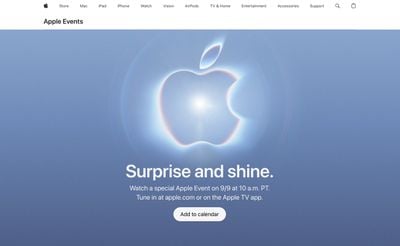
Just navigate to www.apple.com/apple-events/ using a web browser at the appropriate time to watch. You can visit the site now to add an event reminder to your calendar.
YouTube
Apple also plans to stream the event live on YouTube, which is perhaps the easiest and most efficient way to watch because the YouTube live stream can be viewed on every platform where YouTube is available, which is pretty much all platforms, from smartphones and tablets to consoles and smart TVs.
play
Apple has posted a placeholder for the September 9 event on YouTube, and you can visit it now to set an event reminder.
Apple TV App
Apple used to have a dedicated Apple Events app on the Apple TV, but ahead of WWDC 2020, it was folded into the Apple TV app. On event day, there will be a prominent Apple TV app section dedicated to the live stream, which can be watched on any device where the Apple TV app is available.

This includes the Apple TV, iPhones, iPads, and Macs, as well as select smart TVs, streaming devices, and gaming consoles. If you have an Apple TV, the Apple TV app is one of the best ways to watch the event live. Apple hasn’t updated the Apple TV app with the new event as of yet, but it should be added soon.
When to Watch the Apple Event
Apple’s event will take place at 10:00 a.m. Pacific Time, like most Apple events. Event times in other time zones are listed below.
- Honolulu, Hawaii — 7:00 a.m. HST
- Anchorage, Alaska — 9:00 a.m. AKDT
- Cupertino, California — 10:00 a.m. PDT
- Phoenix, Arizona — 10:00 a.m. MST
- Vancouver, Canada — 10:00 a.m. PDT
- Denver, Colorado — 11:00 a.m. MDT
- Dallas, Texas — 12:00 noon CDT
- New York, New York — 1:00 p.m. EDT
- Toronto, Canada — 1:00 p.m. EDT
- Halifax, Canada — 2:00 p.m. ADT
- Rio de Janeiro, Brazil — 2:00 p.m. BRT
- London, United Kingdom — 6:00 p.m. BST
- Berlin, Germany — 7:00 p.m. CEST
- Paris, France — 7:00 p.m. CEST
- Cape Town, South Africa — 7:00 p.m. SAST
- Helsinki, Finland — 8:00 p.m. EEST
- Istanbul, Turkey — 8:00 p.m. TRT
- Dubai, United Arab Emirates — 9:00 p.m. GST
- Delhi, India — 10:30 p.m. IST
- Jakarta, Indonesia — 12:00 a.m. WIB next day
- Shanghai, China — 1:00 a.m. CST next day
- Singapore — 1:00 a.m. SGT next day
- Perth, Australia — 1:00 a.m. AWST next day
- Hong Kong — 1:00 a.m. HKT next day
- Seoul, South Korea — 2:00 a.m. KST next day
- Tokyo, Japan — 2:00 a.m. JST next day
- Adelaide, Australia — 2:30 a.m. ACST next day
- Sydney, Australia — 3:00 a.m. AEST next day
- Auckland, New Zealand — 5:00 a.m. NZST next day