




If you’ve updated your iPhone to a new version of iOS, and felt like it became slower, you’re not alone. Apple’s been accused of slowing down older iPhone models to get more people to upgrade. But that’s not actually what’s going on here.
The problem has to do with how rechargeable batteries age, and the power demands that a new operating system places on those devices. If you have a one year old iPhone 16, then upgrading to the newest version of iOS probably didn’t slow down your device. But if you have a four or five year old iPhone model, you may have began noticing glitching or lagging after the update to iOS 26.
This may seem counterintuitive, since newer operating systems should reduce bugs. But the reason your older iPhone is struggling isn’t due to faulty lines of code, but rather a more power-hungry operating system that demands more performance from the devices they run on. And if your device is a few years old, this can cause some problems.
Because as lithium ion batteries age, their capacity and performance declines. As the degradation approaches 80% of original capacity, you’ll probably start to notice your iPhone acting up. This is because the battery can’t provide enough power to the processor, causing lag, glitches, and even app crashes.
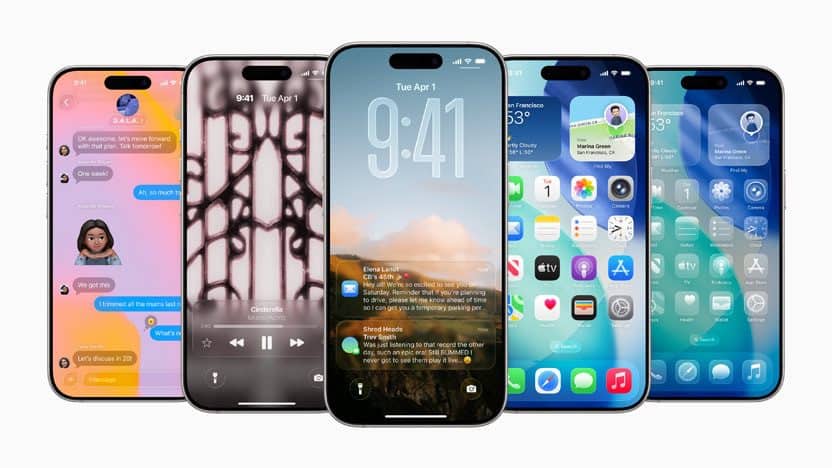
You can check your iPhone’s maximum capacity and battery health settings. But the issue is magnified when updating that older iPhone to a newer, more powerful operating system. This adds new features that are designed for the latest iPhone’s processing power.
If you don’t have the latest iPhone, and your existing battery has already degraded close to 80%, that new operating system is going to put it under even more stress, making your device slow down even more, and giving the impression that Apple’s intentionally messing up your iPhone.
Now since this problem is caused by an old underperforming battery, you can fix it by simply getting a battery replacement, which is free if you purchased AppleCare Plus, or $69 for all iPhone models since the 10. That way you can still enjoy the latest features of iOS without spending $1,000 on a brand new iPhone.