



SUMMARY
- Many iPhone models are IP68-rated, meaning they can withstand water submersion up to 6 meters for 30 minutes, depending on the model.
- Water resistance serves as a safety net, not a feature you should put to the test. Avoid exposure to high-velocity water sports or soapy water.
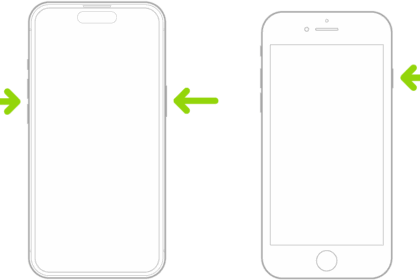
- If your iPhone gets wet, shut it down, dry it with a cloth, and remove any peripherals. Wait for at least five hours before charging it or turning it back on.
Apple has introduced water-resistant iPhone models over the years. While they offer various levels of protection, you might be wondering whether your iPhone is waterproof. Let’s find out.
Many iPhone Models Are Water-Resistant
Many iPhone models are "splash-, water-, and dust-resistant." To quantify the level of resistance, Apple relies on the Ingress Protection (IP) ratings. Here’s what that means.
Developed by the International Electrotechnical Commission (IEC), IP ratings are a universal system that tests and classifies the degree of protection an electronic device’s enclosure provides against the damage caused by foreign particles. These could be dirt, dust, or water.
What Do the Numbers in an IP Rating Mean?
An IP rating consists of two numbers. While the first number signifies the level of protection against minute particles (between one and six), the second number suggests how well the enclosure can withstand damage due to the ingress of water (ranging between one and eight).
Many iPhone models carry an IP68 rating. While the first number represents the highest level of protection against dust particles, indicating that the device is dust-tight, the second number suggests it can also withstand submersion in over 1m of water (for 30 minutes).
The specific water resistance rating varies by model:
- iPhone 12 and later (including iPhone 13, 14, 15, 16, and 17 series): IP68 rating with a maximum depth of 6 meters for up to 30 minutes
- iPhone 11 Pro and 11 Pro Max: IP68 rating with a maximum depth of 4 meters for up to 30 minutes
- iPhone 11, XS, and XS Max: IP68 rating with a maximum depth of 2 meters for up to 30 minutes
- iPhone 7 through iPhone XR (including iPhone 8, 8 Plus, X, XR, and SE 2nd/3rd generation): IP67 rating with a maximum depth of 1 meter for up to 30 minutes
- iPhone 6s and earlier: No official water resistance rating
Can You Submerge an iPhone?
While IP68 suggests that a device can avoid any form of ingress damage, it also has certain limitations based on how well a device is designed. Depending on the model, iPhones can survive submersion at varying depths for up to 30 minutes (under IEC standard 60529).
Yes, we’ve heard stories about how people recover their iPhones from lakes and ponds days after they dropped them, and the iPhone miraculously works, but we wouldn’t count on it. Dropping your iPhone in a water body (natural or artificial) that’s deeper than its rated depth can cause permanent damage.
Furthermore, any kind of water damage isn’t covered under the standard warranty. Hence, if you drop your iPhone in a well, deep pool, or lake, there’s always a chance it won’t come back to life. Even if repairs are possible, getting them from the authorized service centers could be expensive.
What Would Damage My iPhone?
It is important to understand that the IP rating on your iPhone is more like a safety net than a feature you’d put to the test. While it will protect your iPhone from an accidental drop in the sink, a shallow pool, or light rain, it might not be effective if you expose your iPhone to pressurized or high-velocity water, like when showering, water skiing, surfing, or indulging in other water-based sports.
You should also avoid carrying your iPhone in a sauna or steam room, operating it in highly humid conditions, subjecting it to impacts, or intentionally submerging it in water. Further, you shouldn’t expose your iPhone to soap, detergent, acids, perfume, lotions, and other solvents. The chemicals in these substances could deteriorate the iPhone’s water resistance and result in water damage.
If your iPhone is already damaged, exposing it to water would be a bad idea. Any sort of deformation, whether on the upper layer of glass or the metallic frame, can compromise the iPhone’s water resistance and cause permanent damage.
What Do I Do if My iPhone Gets Wet?
If your iPhone gets wet, take it out of the water as soon as possible and shut it down. Then, dry the exterior surface of the iPhone with a lint-free cloth. If water is stuck in the charging port, consider tapping the phone against your palm. You might want to dry it in front of a fan or use a tone generator to get the water out of the speakers.
Don’t use a blow dryer, as too much heat could damage the water seal on the iPhone. Remove any peripherals if connected, and allow your iPhone at least five hours before charging it again. If you want to enhance your iPhone’s water resistance, consider getting a waterproof pouch. They’re pretty cheap and add another layer of protection against water, plus they float!
frequently Asked Questions
[sp_easyaccordion id=”3220″]